

How to Create an Agentic Virtual Agent
What this guide covers |
Before you start
Prepare at least one Supsearch search engine with trained content. Agentic nodes use Supsearch as their knowledge layer.
Recommended first build scope
For a first rollout, build a single-use-case agent that answers FAQ-style questions from one knowledge source and hands over edge cases to a human. The video walkthrough follows this pattern using a single Agentic node connected below a Greet node and a single knowledge source.
Step-by-step: create your first agentic virtual agent
1. Create a new virtual agent
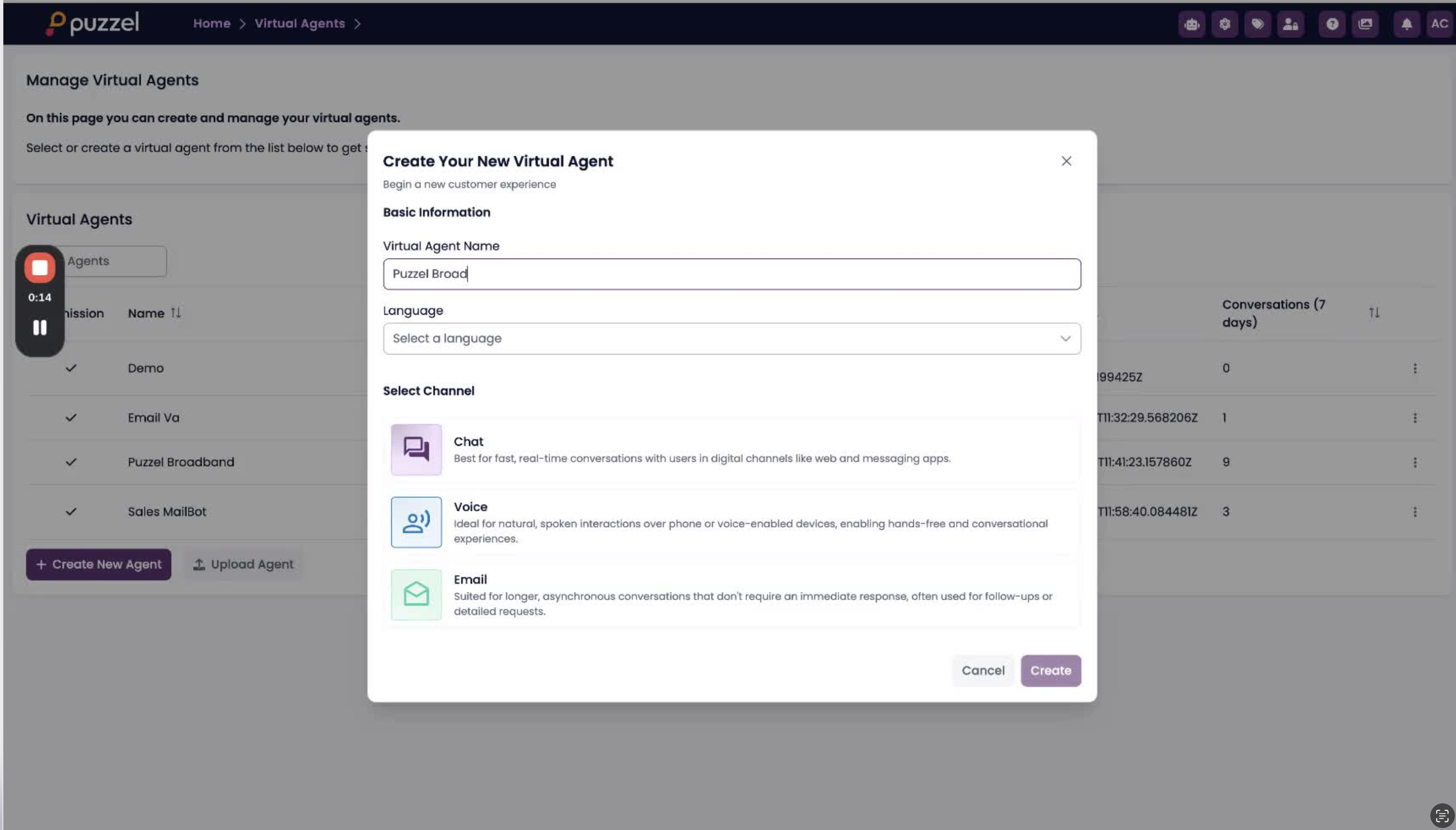
- From Manage Virtual Agents, click Create New Agent.
- Enter a clear virtual agent name.
- Select the language.
- Choose the channel. In the walkthrough, the agent is created for Chat.
- Click Create to open the BotStudio graph with a default Greet node.
2. Open Conversation Flow and add a child node
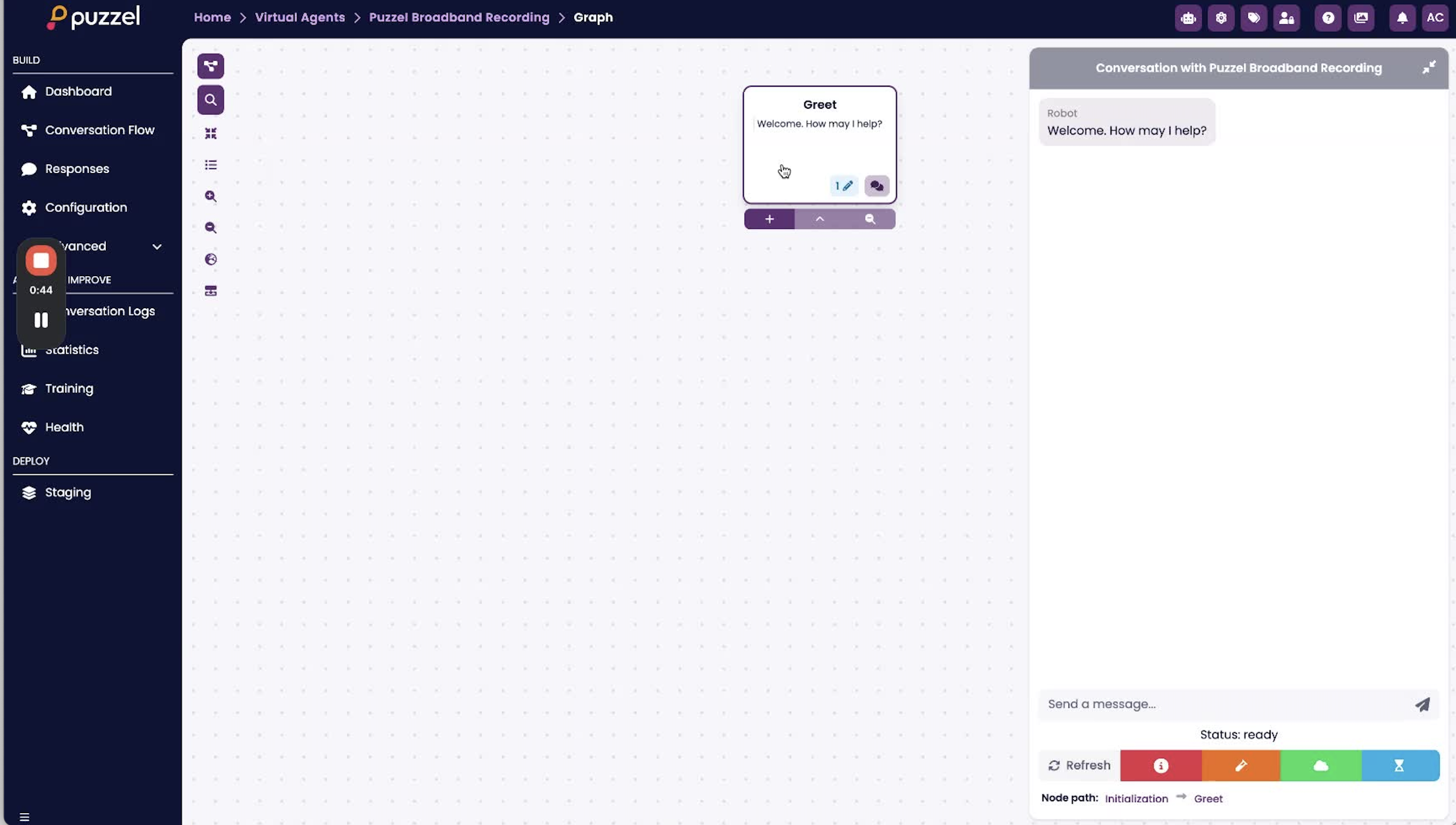
- In the graph, start from the Greet node.
- Create a new child node beneath Greet.
- Name it clearly, such as “Agentic”, “Broadband assistant”, or the use case name.
- Select Agentic Node as the node type.
- Open the new node to start the guided configuration on the right-hand panel.
3. Configure knowledge
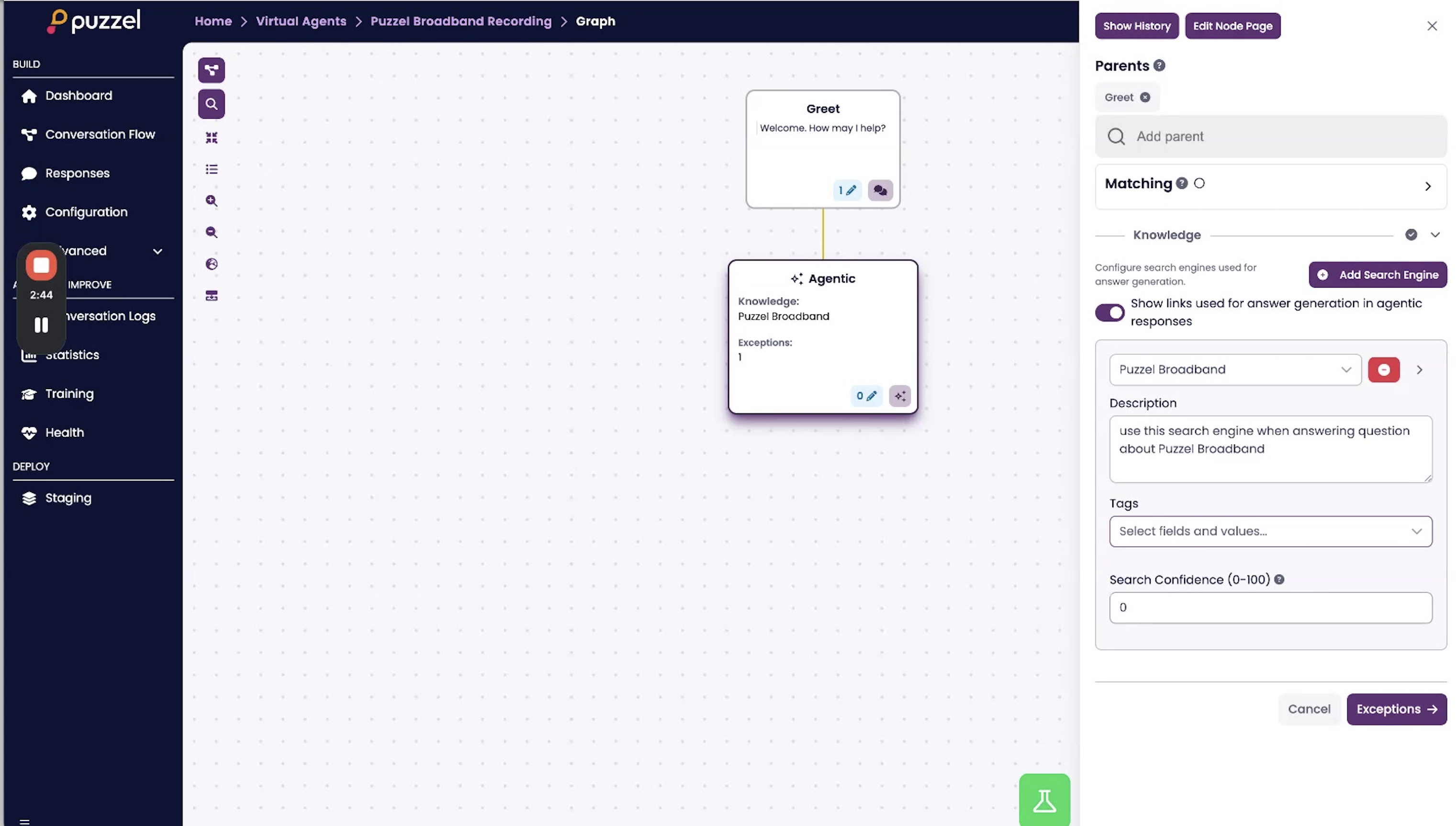
- Add a search engine from the dropdown.
- Write a description that tells the model when to use this knowledge source. In the video example, the description is effectively “use this search engine when answering questions about Puzzel Broadband”.
- Optionally add tags if you want to restrict which articles can be used.
- Set a search confidence threshold only if you want to filter out weaker search results. Articles below the threshold are ignored.
- Leave “Show links used for answer generation in agentic responses” enabled if you want source links returned to the user.
4. Configure exceptions
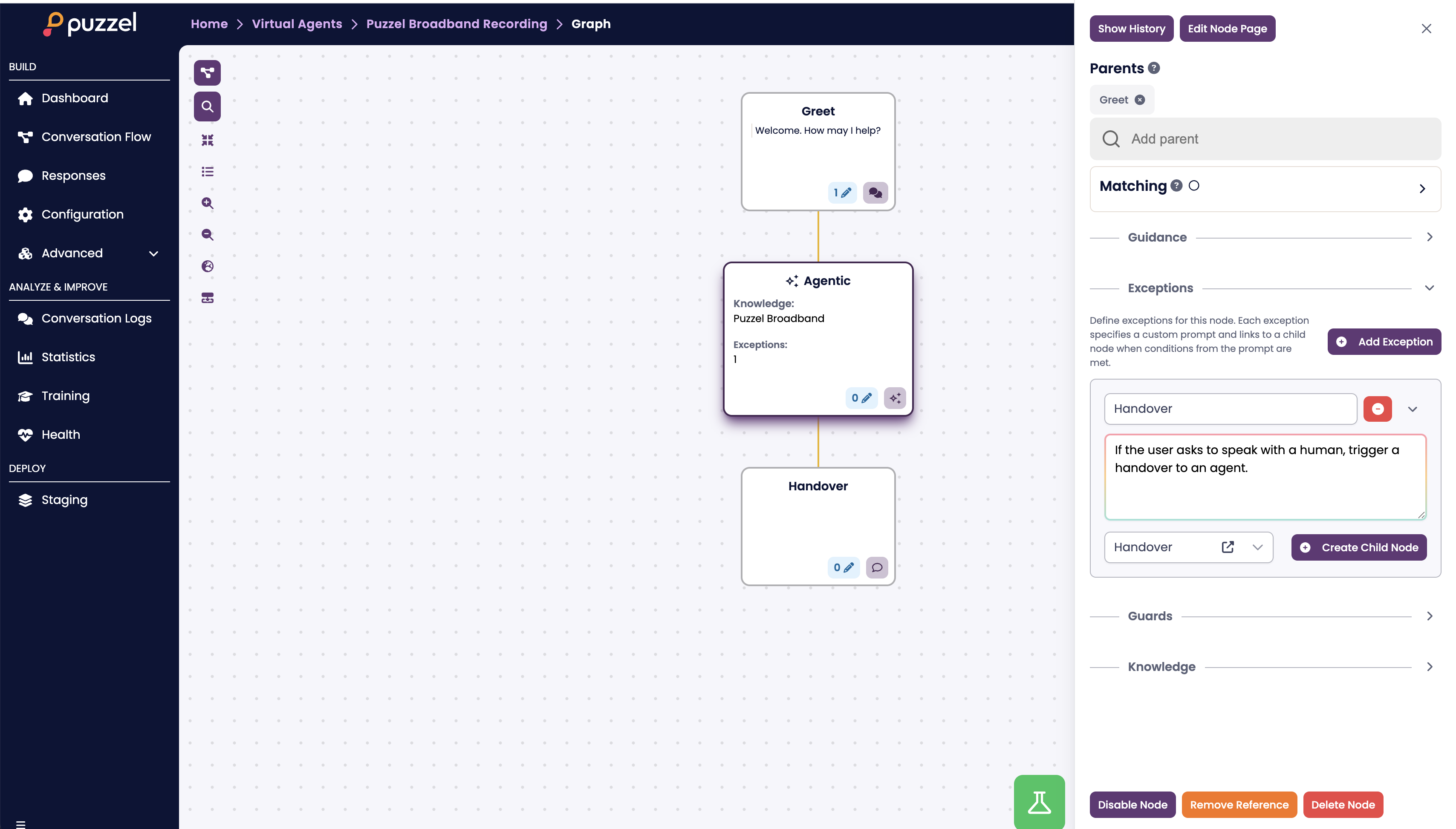
- Review the default handover exception.
- Add exceptions for cases where the agent should stop being autonomous and route to a deterministic flow or human queue.
- Good starter exceptions are: speak to a human, order issue, complaint, identity verification, or any workflow that needs backend integration.
- Each exception needs a name, a prompt describing when it should trigger, and a child node to route to.
5. Add guidance
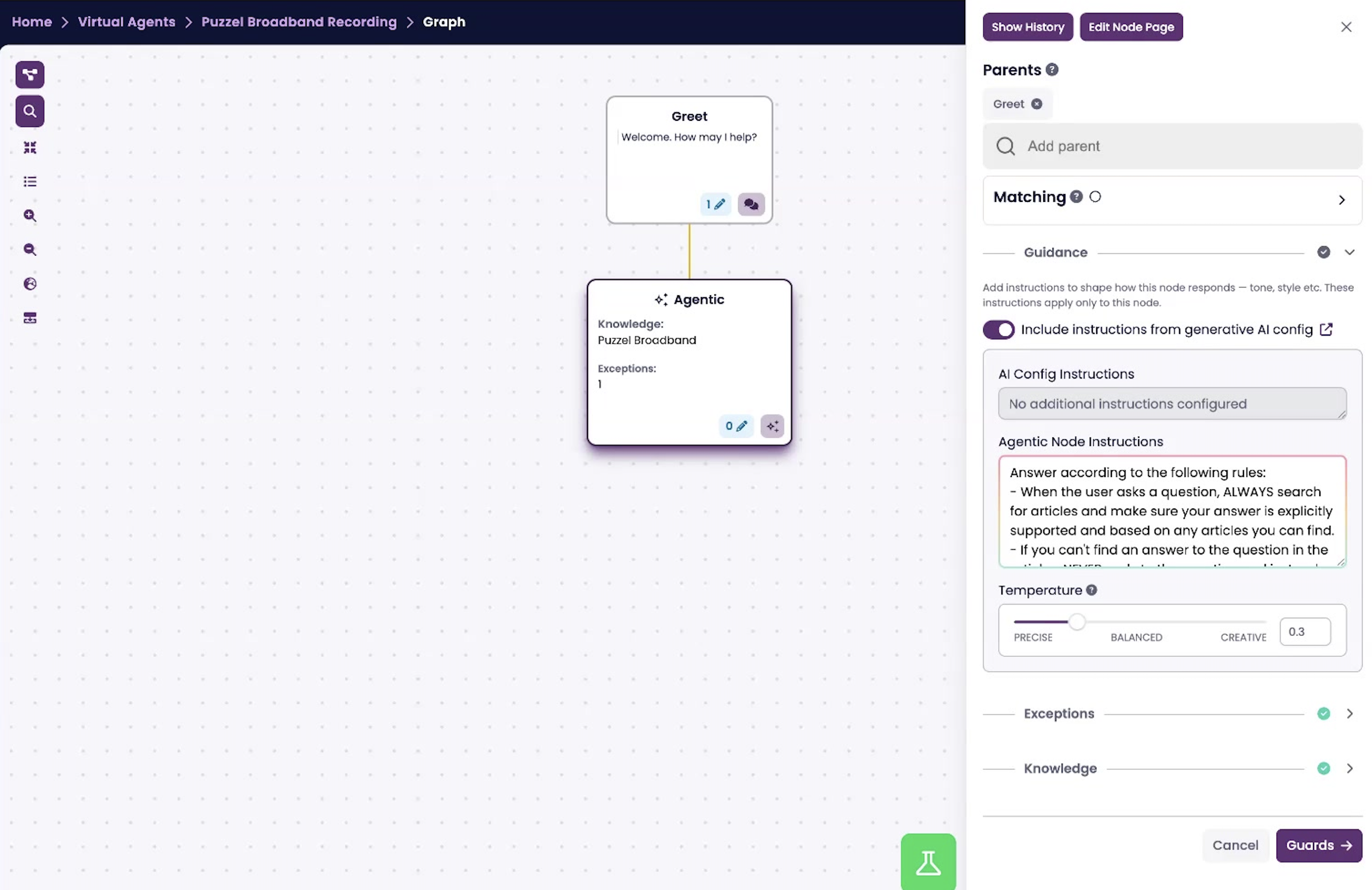
- Use guidance to define the agent’s role, tone, output style, and hard rules.
- Decide whether to inherit global instructions from Configuration > Generative AI. This is enabled by default.
- In the walkthrough, the guidance follows a grounded-answer pattern: always search for articles first, answer only from the retrieved content, politely decline when the answer is not found, and respond politely to pleasantries or clarifying questions.
- Keep first-version guidance short and explicit. Long prompts are harder to tune.
6. Set temperature
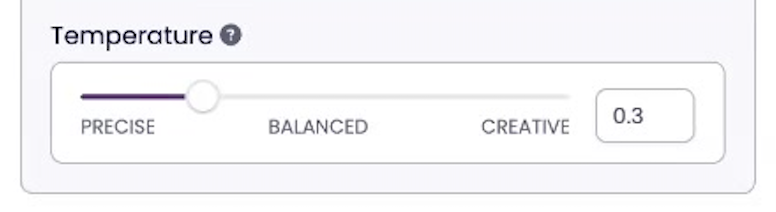
- Use a lower temperature for factual support scenarios.
- The recorded example uses a low setting around 0.3, which is a good starting point for customer support use cases.
- Increase temperature only if you need more expressive phrasing and variation.
7. Configure guards and fallback
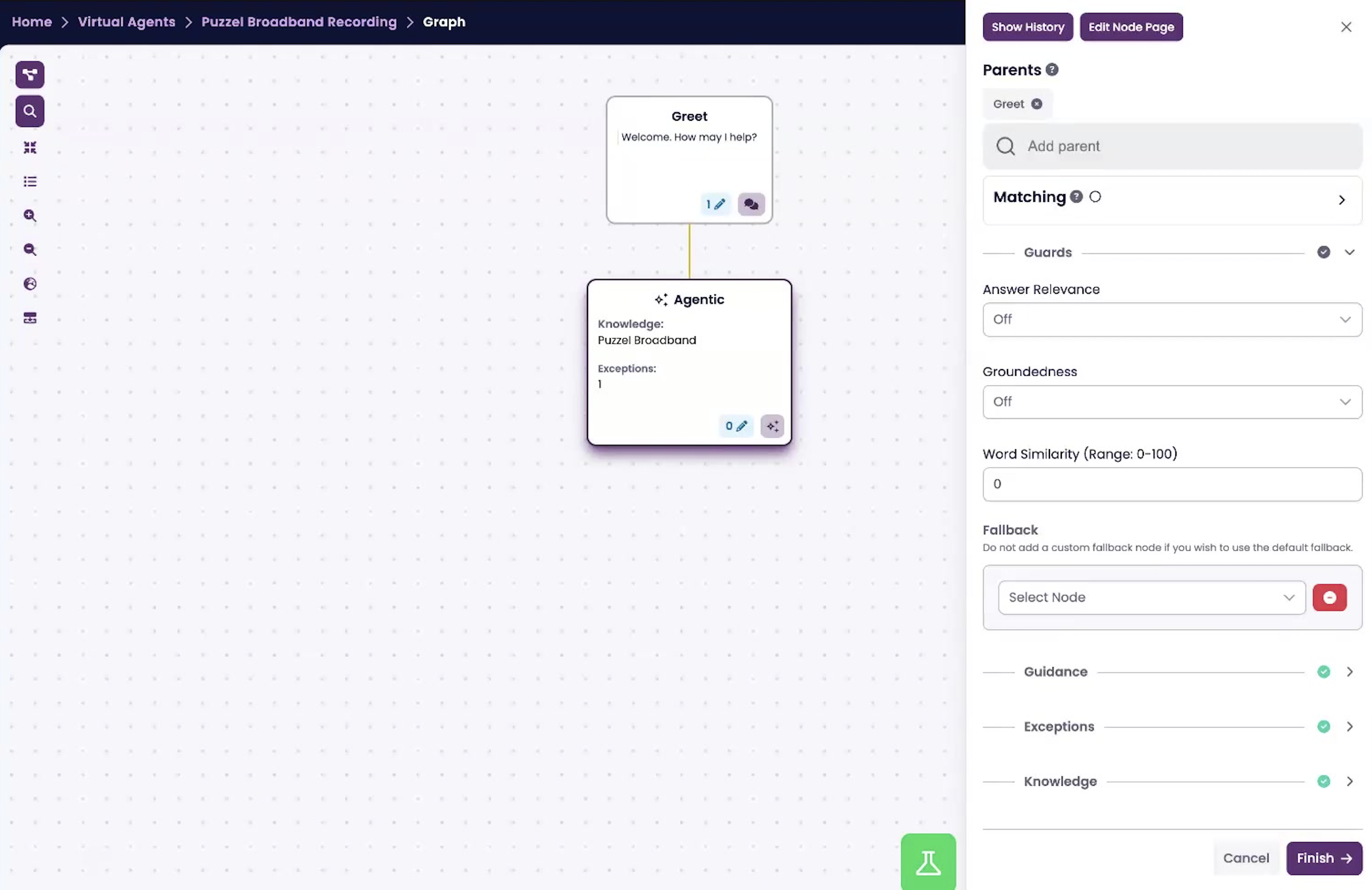
- Choose whether to enable Answer Relevance, Groundedness, and Word Similarity.
- Keep guard settings conservative at the start. Overly strict settings can prevent the node from answering at all.
- Define a custom fallback node if you want behavior other than the Global Fallback Node, such as asking the user to rephrase or routing to human handover.
8. Finish configuration
- Click Finish to save the Agentic node.
- Confirm the node is connected correctly in the flow and appears under the Greet node or whichever parent node you selected.
9. Test the experience
- Use the demo panel on the right side of BotStudio to ask representative user questions.
- Enable status messages in Configuration > General to see what the node is doing during a conversation.
- Use the footsteps icon to inspect logs for exception classification, knowledge search, guard evaluation, and final output generation.
10. Tune after testing
- If answers are weak, improve the knowledge source before rewriting prompts.
- If the agent answers when it should route, tighten exceptions.
- If the agent is too rigid, soften the guidance or reduce guard strictness.
- If hallucinations appear, lower temperature and strengthen grounding instructions.
Configuration cheat sheet
Setting area | What to decide | Recommended starting point |
|---|---|---|
Knowledge | Which search engine and when it should be used | One trained Supsearch source with a clear description |
Exceptions | When to exit autonomous handling | Human handover plus 2–4 business-critical routes |
Guidance | Role, tone, hard rules, answer format | Short, explicit, grounded instructions |
Temperature | How deterministic or creative the node should be | 0.2–0.4 for support use cases |
Guards | How strict the quality checks should be | Start light, then tighten after real testing |
Fallback | What happens when the node cannot answer safely | Rephrase prompt or handover path |
What to expect in your first release
Expect the quality of answers to depend heavily on knowledge quality. A well-structured search engine matters more than clever prompting.
Expect to iterate on exceptions. Early versions usually either over-route or under-route.
Expect some tuning of guidance, temperature, and fallback behavior before the experience feels production-ready.
Do not expect the Agentic node to replace every deterministic flow. Use it where flexible understanding helps, and keep fixed flows for transactions, compliance-heavy journeys, and sensitive workflows.
Common launch mistakes to avoid
Starting with too many knowledge sources and no clear descriptions.
Writing very long guidance instead of a few high-priority rules.
Skipping exception design and relying on the model for everything.
Turning guards up too high before understanding baseline answer behavior.
Testing only happy-path questions instead of real customer phrasing.