

Advanced Search Parameters
When Advanced is clicked (instead of Basic), more search parameters are available.
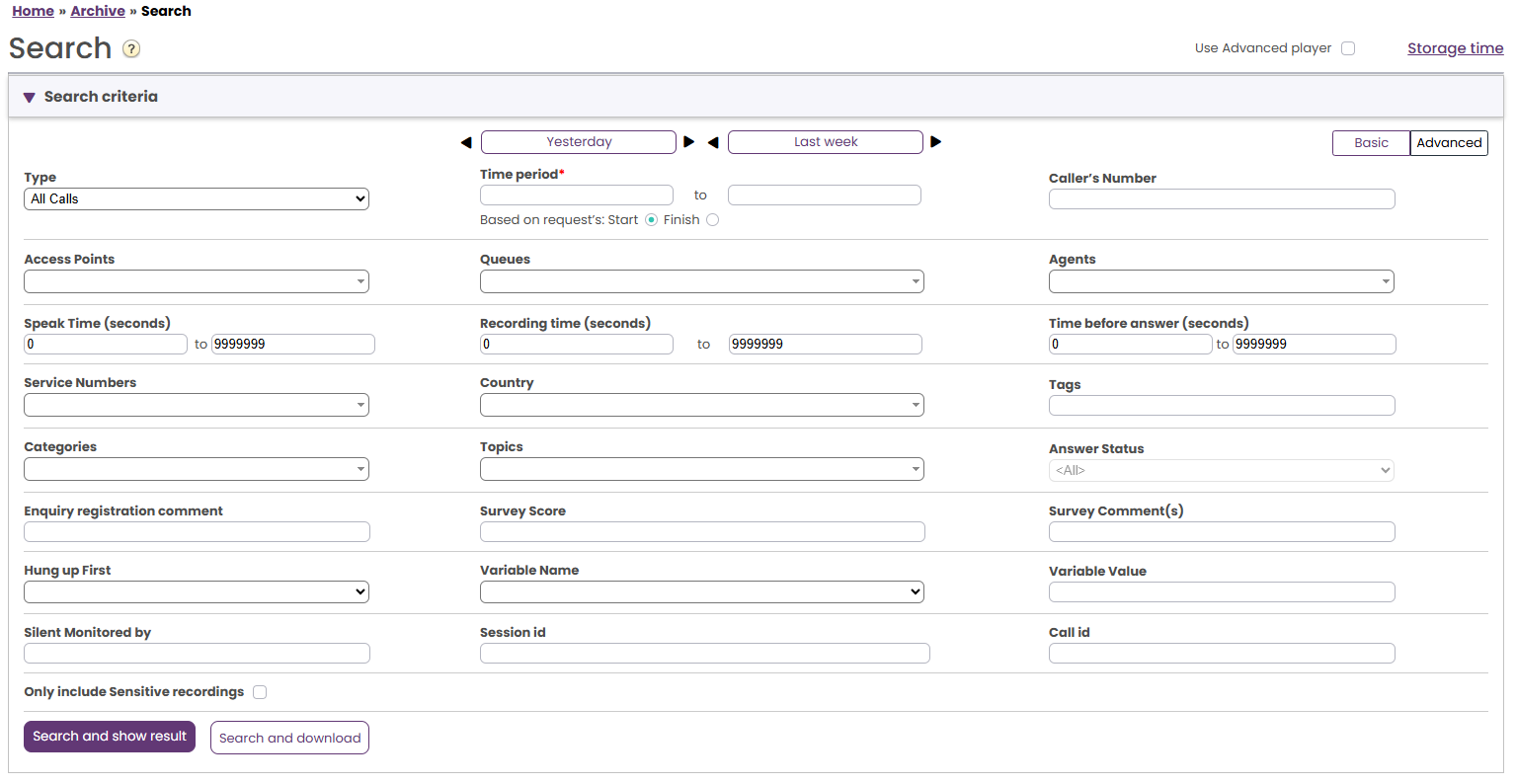
Advanced search parameters
- You can search for calls/chats with Speak time, Recording time or Time before answer within a range.
- You can search for requests with any value or a specific value for a given Variable.
- For calls there will be a variable called 'caller_on_hold_total' with a value (in seconds) if the agent(s) clicked 'Put on hold' or did a consult call (caller is on hold while agent is consulting).
- If you select a Variable in the Variable Name list box and leave the Variable Value empty, the search will return requests that have this variable with any value.
- Please note that search with * as wildcard or a search for a range, e.g. 200-999, will not return any records.
- If you know the session_id or the call_id (from Raw data or a call recording file) you can search with this value (time period is not needed)
- You can select one or more Enquiry registration Categories, and then optionally one or more Topics (within the selected Categories) to find requests that have such an Enquiry registration.
- If you want to search for all calls that was Silently monitored by someone, please enter "*" in the search field. If you want to find calls monitored by a specific user, enter the listener's phone number. If the listener used the Puzzel Softphone, enter "*<user_id>", e.g. "*244736". A user's user-id can be foudn on page Users - Users.
- For Type Chat, the Advanced parameters are Speak time and Time before answer, Enquiry registration Categories/Topics and Survey Score/Comment. Speak time is the duration of the chat conversation with the agent(s), while Time before answer is the time in queue until the agent click Accept.
- For Type Email and Social media, the Advanced parameters are Handling time, Time before answer and Answer status (Answered/Not yet answered), in addition to Enquiry registration Categories/Topics.
- Handling time is the time from the agent clicked Accept until closing the request dialog tab in the Agent application. If the agent worked on an email more than once (due to time in Personal queue), Handling time is the sum of the Handling times.
- Time before answer is time in queue until first agent clicked Accept. Please note that an agent may accept the email and then put it in personal queue, and pick it up the next day and then send an answer to the customer. The column Total Time might give an indication on how long time it took before the agent actually sent an (email) answer to the customer.
- Survey score and Survey comment is explained here