

Enquiry Registration - Days to store recording
This is a new feature that will be rolled out during February/March 2026.
Storage time for call recordings in Archive is configured in your Puzzel solution’s Archive subscription. If the ‘correct’ storage time for a specific call recording sometimes depends on what the call was about/what was said (and not only what queue it is), this can be solved using Enquiry Registration.
You can configure a value for 'Days to store recording' for some of your Enquiry Registration Topics. If an agent selects a topic with a belonging value for Days to store, this value will be used in Archive to determine this recorded call's storage time. If an agent is given the option to select 2 or more topics with different values for Days to store and does so, the Archive will use the greatest Days to store value in Archive.
Only users with with Administration property 'Show pagegroup Recording' ON can edit Days to store values on the Enquiry Registration configuration page. (These users can see Recording on page Users - Products and turn on/off recording on page Services - Queues). Users without such access can only see existing Days to store values, if any.
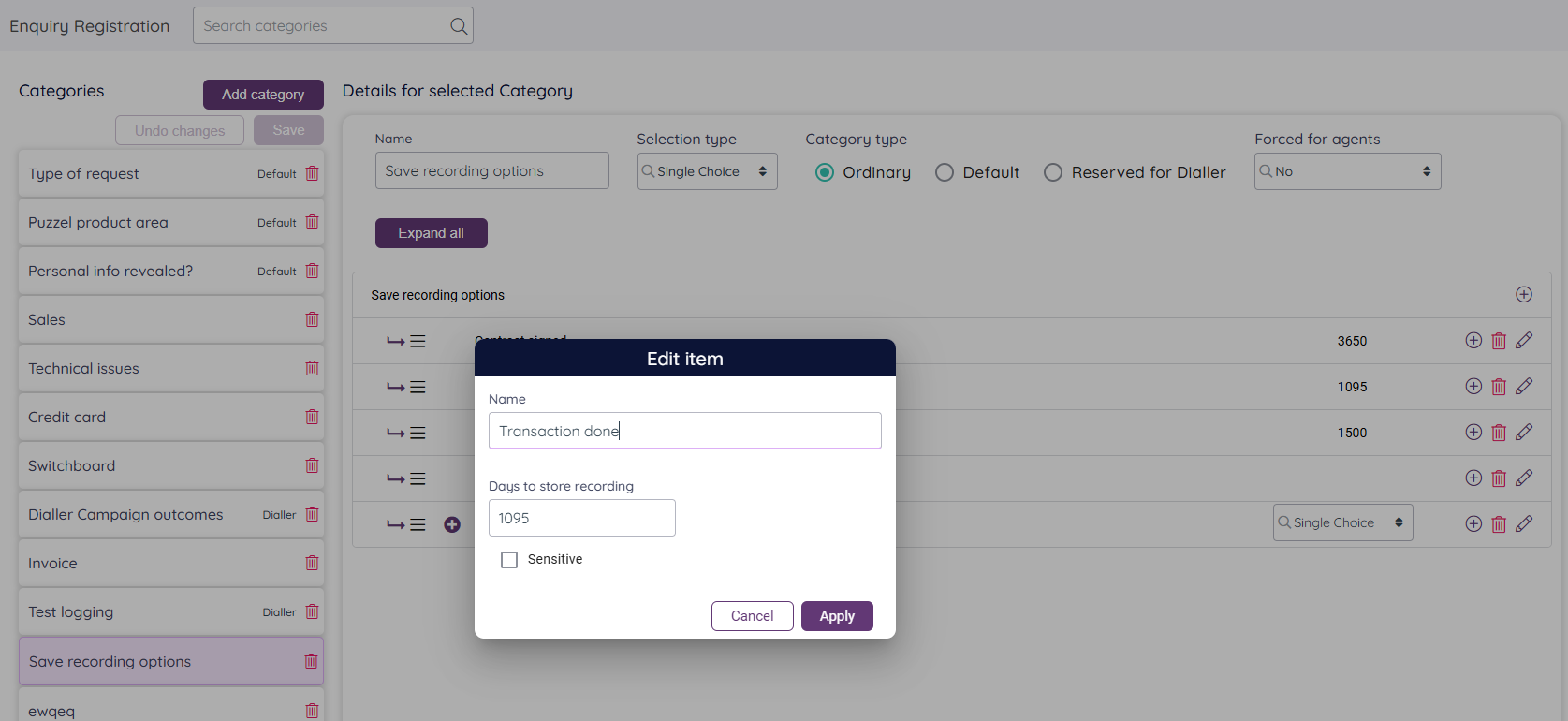
In the Puzzel Agent application, agents only see the name of the Topics in the Enquiry registration part, not the belonging Days to store value that’s configured, but a Topic’s name can contain the storage time if you like, e.g. “Sales done (3 years rec storage)”.
In the Admin Portal’s Archive, we will visualize a call recording’s storage time in the Recording tab if the recording has a specific value for Days to store.
An Admin Portal user belonging to a PCC solution with 'Allowed to edit days to store recording in Archive' turned ON will be able to change the storage time for individual call recordings in Archive if the user has Recording property 'Allowed to delete recordings and chat logs from Archive' turned ON. This is useful in case the agent selected the wrong topic or forgot to do a registration.
Please note that specific storage time per call recording based on Agent's Enquiry Registration or based on user's input in Archive is only working for call recording files on OPUS format done after 3 February 2026.
If you configure and use days to store in one or more Categories, we recommend that you define this Category as “Forced”.